A Gling alternative for batches and finished videos
Gling clears bad takes and silences, then hands you off to another editor. If you want separate videos finished in one go, or files that never upload, here is how Cutroom AI fits.
Updated November 12, 2026
| Job | Cutroom AI | Gling |
|---|---|---|
| Ten short videos from ten files | One batch, ten finished edits | Several recordings in one import become one project |
| Captions on the final video | Burned in, or as an SRT | SRT export |
| Finish in Premiere or Resolve | Not possible: no XML | XML export |
| Free allowance | 3 edits a month | 1 hour a month |
Facts about other products come from their own public pages, read on the dates under Sources. Products change; check their pages before you decide.
Why people look
A common case: you've filmed ten short videos in an afternoon, one per file, and you want ten finished edits. Gling's help page says several recordings in one import become one project. That suits a long video assembled from pieces. It's awkward for ten separate posts.
Another case is the last stretch of the job. You don't want to open a second program to add captions and reframe for vertical. And some people can't send client or patient footage to a server at all.
Where Cutroom AI fits
Of the tools we compare, Gling is one of the closest to Cutroom AI, since both start from spoken recordings. The difference is what you hold at the end.
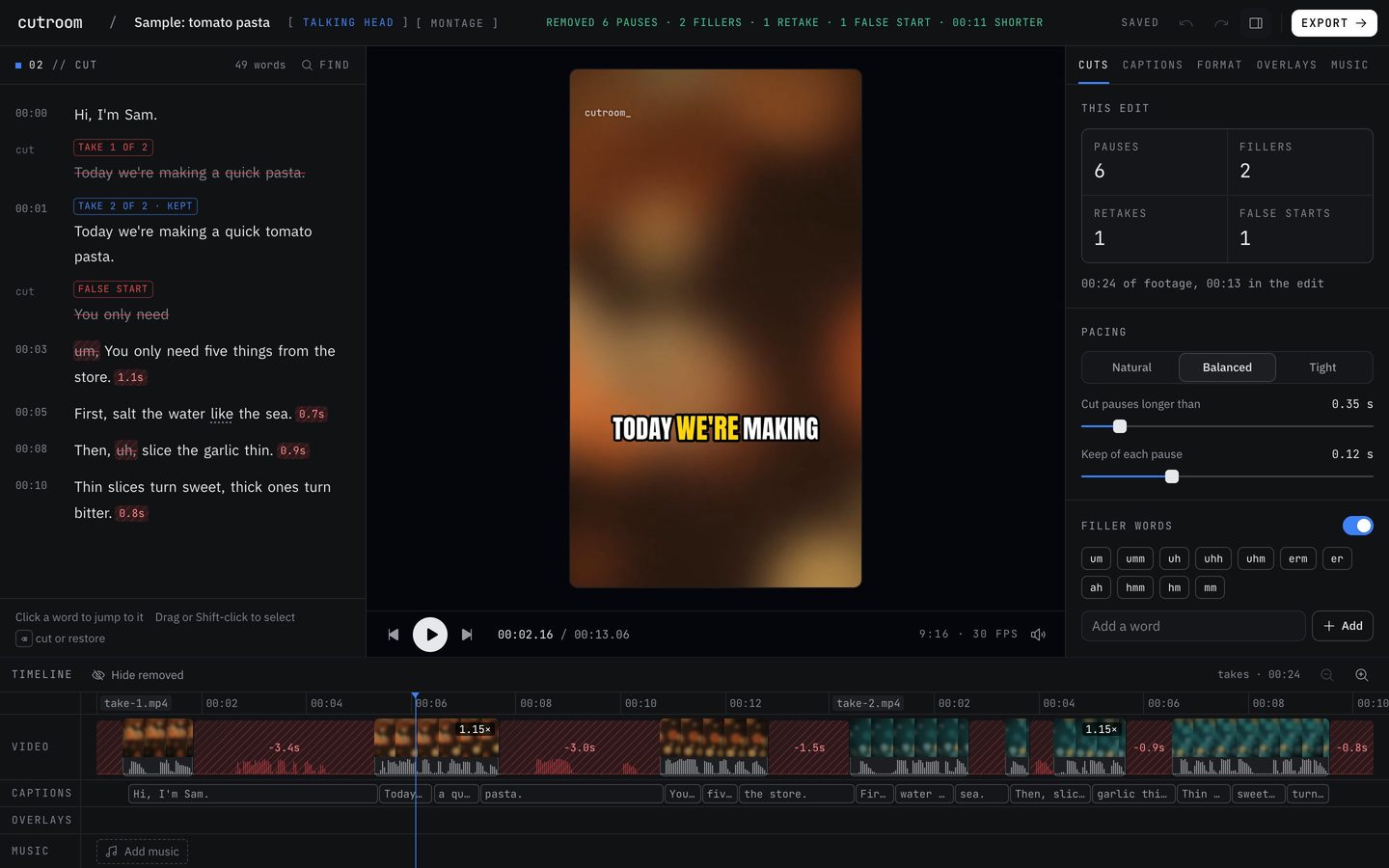
- Batch: up to 10 separate videos from the Projects page, one finished edit each. Select several and export them together.
- Recipes: save an edit's settings by name and use them for the whole batch.
- Best take with a reason, scored line by line across separate take files.
- Captions and destination presets for TikTok, Reels, Shorts, YouTube, LinkedIn and X.
- Long form: a full-length 16:9 version when you filmed horizontally, with chapters from the Clips tab.
- Multicam: a second camera matched by its words, with angles changed at jump cuts.
Where it doesn't
- No XML export to Premiere, Resolve or Final Cut. If you finish elsewhere, this is the deal breaker.
- No chat editing or "remove rambling". Those cloud features are off.
- Multicam doesn't yet pick the camera of whoever is speaking in a two-person interview.
- Free use is counted in edits, not hours, and there is no unlimited plan.
- No screen recording.
Switching, step by step
Do this with a batch you'd post anyway, so the test doesn't cost you an extra afternoon.
- 01Gather the raw files for one batch, one video per file.
- 02Open Cutroom AI and go to the Projects page.
- 03Cut the first video on its own and get the pacing, the captions and the format right. Save those settings as a recipe.
- 04Start a batch with the rest, using that recipe.
- 05Read through each edit's transcript for struck words you want back.
- 06Select the projects and export them together.
Questions
What counts as an edit?
Each new project's automatic cut counts as one. Changes you make inside the editor afterward are free.
Can I get an SRT for YouTube?
Yes. Captions export as SRT next to the MP4.
Can it pick between takes in separate files?
Yes. Drop several takes of one script together and the lines are matched across the files in script order. Then the best take of each line is kept, with its reason.
Will my files upload?
No. The footage is read and cut in your browser and stays put. A copy of the cut list and transcript syncs under a random id.
Can it handle a long recording?
Any recording up to 180 minutes will open, whatever your plan. A full cleaned edit can use 3 minutes of footage on Free, 30 on Starter and 60 on Pro.
Sources
- Gling home page, read November 12, 2026
- Gling pricing, read November 11, 2026
- Gling help: supported workflows and limits, read November 12, 2026
Keep reading
Try it on your own footage.
The editor opens in your browser with no account, and the sample project doesn't use an edit.