Can I undo a cut?
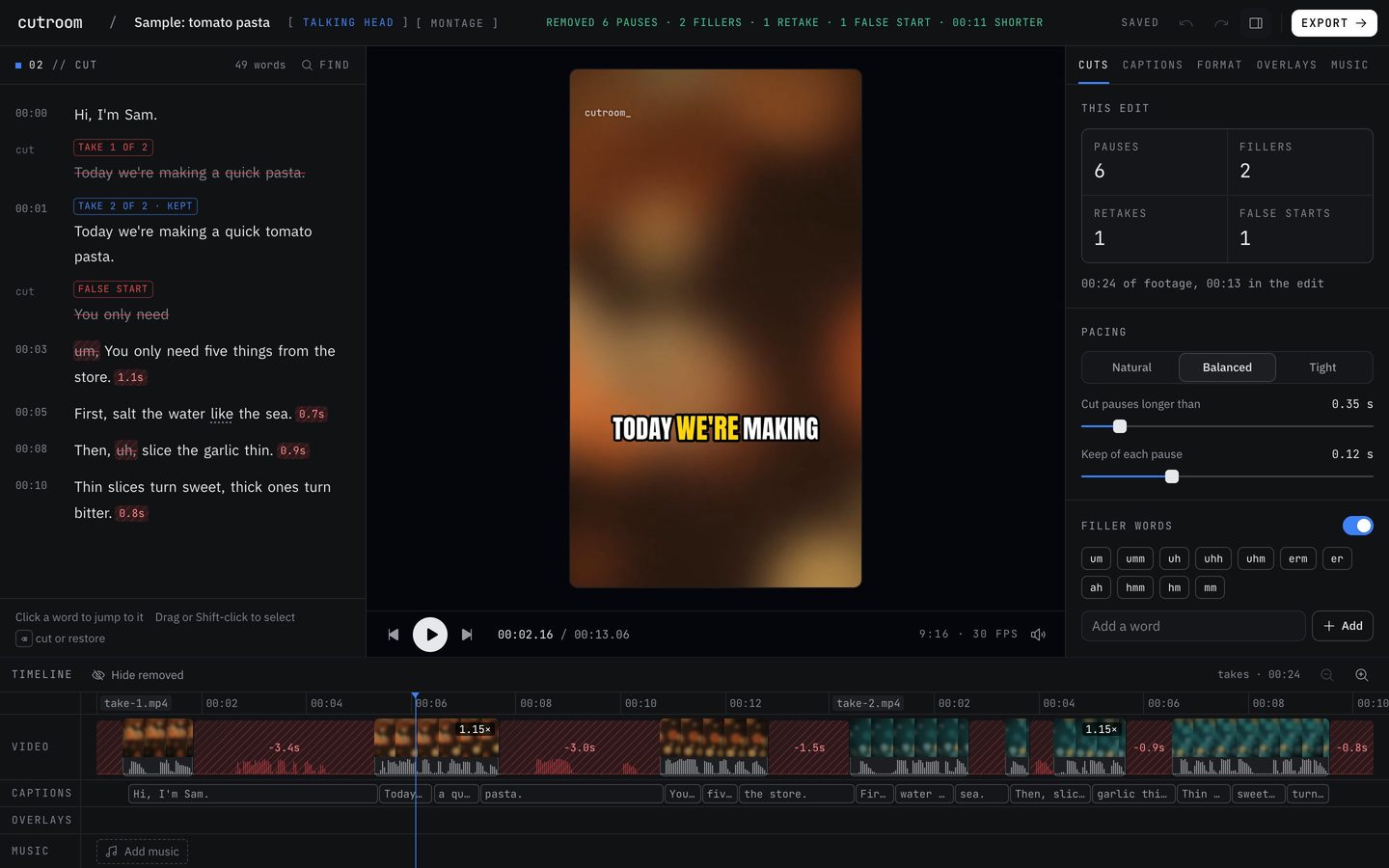
Yes, every one. Removed words stay in the transcript, struck through, and a click brings any of them back. Undo and redo work for every edit.
Updated November 12, 2026
Four ways back
Pick the one that fits how far back you want to go. All four leave your original files alone.
- Click a struck word in the transcript and it comes back. For a removed filler, choose “Keep this word”.
- Undo with Cmd or Ctrl and Z. Redo with Shift, Cmd or Ctrl and Z.
- In the Cuts tab, “Undo your manual changes” takes back everything you changed by hand at once and returns to the automatic cut.
- Press H for version history. It keeps the last 20 saved versions of the project, and restoring one is itself a step you can undo.
Your original files are never touched
A cut in Cutroom AI is an entry in a list, not a change to your file. The editor plays and exports the list. Your original recording stays exactly as you filmed it, so nothing is ever lost by cutting.
Undoing never uses an edit. Changes inside the editor are free, however many times you change your mind.
On the timeline, “Show removed” brings the cut pieces back into view, so you can see exactly what was taken out and where.
Where history lives
Projects are saved in your browser, and version history stays in that browser. A copy of each project's cut list syncs so the project opens in your other browsers, but your video and audio never upload.
Keep reading
Try it on your own footage.
The editor opens in your browser with no account, and the sample project doesn't use an edit.