A Captions alternative for clean, private edits
Captions is built to style a video with AI. If what you mostly need is a clean cut of your own takes that never leaves your computer, Cutroom AI may suit you better. Here's the honest split.
Updated November 12, 2026
Who's looking
People who leave Captions tend to fall into two camps. One group films scripted talking videos, a product explainer or a weekly tip, and wants the best take of each line kept without a restyle. The other has footage that shouldn't be uploaded at all, like a clinic's patient explainer or an internal training.
A smaller third group wants b-roll from their own camera roll instead of stock or generated shots. Cutroom AI's phone app, which would suit people who live on their phones, is still in progress, so for now the work happens in a browser.
Jobs Cutroom AI handles
- Recording with a script: /record scrolls your script at a reading speed (about 155 words a minute at 1x, adjustable from 0.75x to 1.5x) and keeps your takes if the tab reloads.
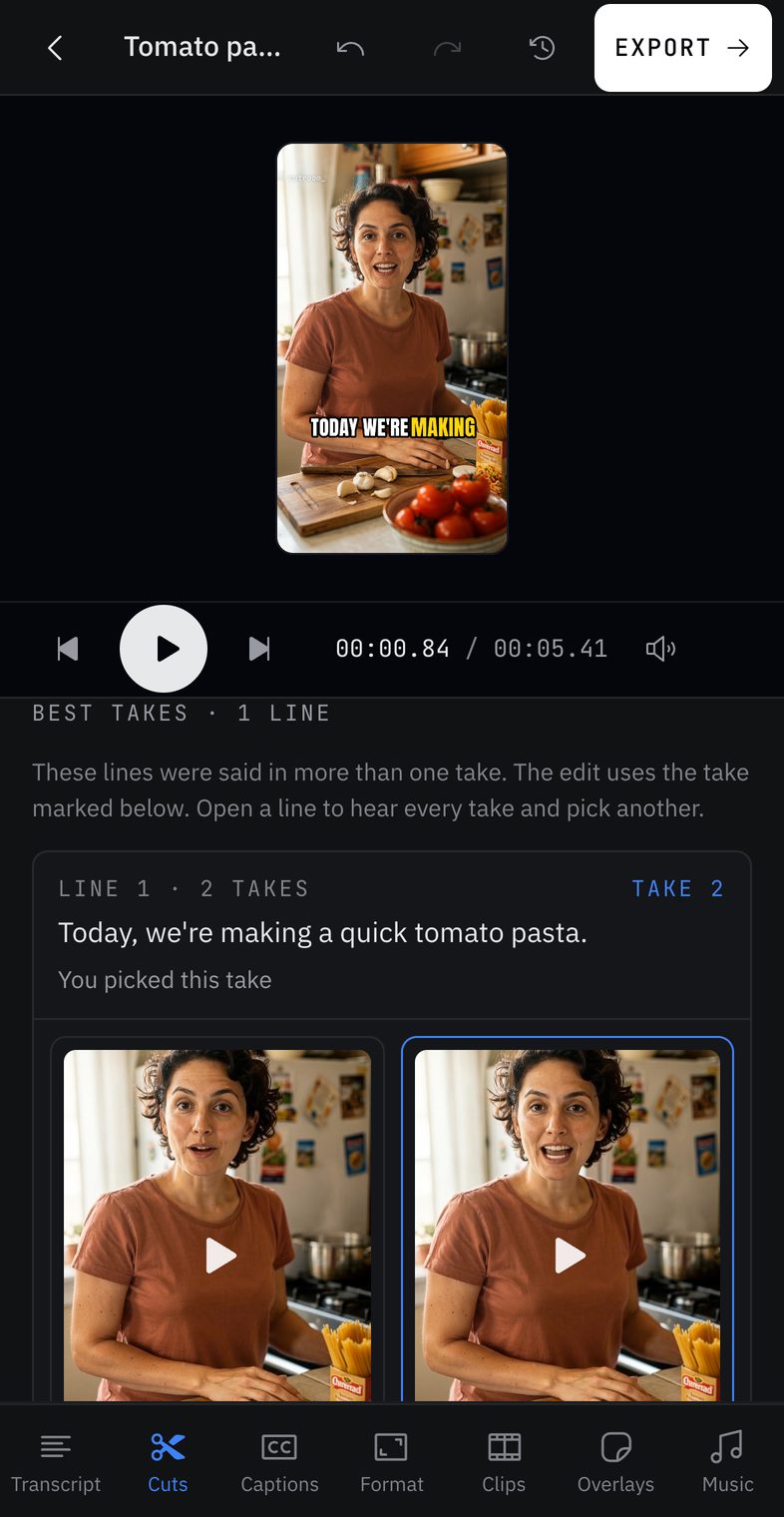
- Picking takes: every take of a line is scored, and Best takes in the Cuts tab lets you hear them side by side and swap with Use this take.
- Trimming: pauses cut to a preset, hard fillers removed, soft ones like "basically" only tagged.
- B-roll from your pile: photos and silent clips placed over the lines their names match. Photos fill the width and drift in.
- Captions: word-timed, keyword captions, a new line after a comma, drag to place, SRT export.
- Versions: natural, tight, hook first, 30 seconds and 15 seconds, all from one analysis.
Jobs it doesn't handle
If your videos depend on a produced look with generated shots, motion and music, Captions remains the better fit for those.
- No AI edit styles that add transitions and music for you.
- No generated b-roll, and no stock footage or music.
- No AI avatars, voice cloning or dubbing.
- No eye-contact fix.
- No caption translation, and 16 transcription languages rather than 100+.
- No phone app yet.
- Fewer caption styles: 8 styles and 7 templates.
Moving your takes across
Test it on one script first. You can keep your Captions account for anything that needs its styles.
- 01Copy your raw takes from your phone to your computer, or record new ones at /record.
- 02Rename the photos and silent clips you want as b-roll after the words they illustrate.
- 03Open the editor and drop the takes and the photos in together.
- 04Check the Best takes view and swap any line you'd pick differently.
- 05Open the versions page and play two versions side by side.
- 06Pick one or several and export them together.
Questions
Can Cutroom AI add b-roll automatically?
Only from files you import. It matches each photo or silent clip to a line by file name or by the clip's own speech. Photos it can't match wait in the Overlays tab.
Does it have a teleprompter?
Yes, in the browser at /record. Pause between takes, watch one back, and the takes go straight into the best-take edit.
Can I get several looks from one video?
Yes, in a plainer way than AI styles. One analysis gives you a natural cut, a tight cut with keyword captions, a hook-first cut and two short clips. Each is its own project, so changing one leaves the others alone.
How many languages does it transcribe?
Sixteen spoken languages on the web, with filler lists for English, Spanish, French, German, Italian and Portuguese.
Is there an iPhone app?
Not yet; it's in progress. Today Cutroom AI runs in the browser: current Chrome, Edge, Arc or Safari 26.
Sources
- Captions home page, read November 11, 2026
- Captions pricing, read November 11, 2026
- Captions: edit with AI, read November 12, 2026
- Captions style library, read November 12, 2026
Keep reading
Try it on your own footage.
The editor opens in your browser with no account, and the sample project doesn't use an edit.