Cutroom AI vs Captions
Captions (captions.ai) restyles your recording with AI: b-roll, transitions, music, avatars. Cutroom AI does the plainer job of cutting your takes down to a clean edit, on your own device.
Updated November 12, 2026
| Cutroom AI | Captions | |
|---|---|---|
| Record or upload | Teleprompter recorder at /record, or import files | Record or upload. A teleprompter is listed |
| Edit styles | Several versions from one analysis: natural, tight, hook first, 30 s, 15 s | AI Edit with a library of styles (42 style pages on 2026-11-12), one at a time |
| B-roll | Your own photos and clips, matched by file name or speech | Added by AI Edit styles. Generative b-roll |
| Music | Your own, ducked under speech | Added by AI Edit styles |
| Pauses and fillers | Three pacing presets. Hard fillers removed, soft ones tagged | "Trim pauses" and filler removal |
| Best take across takes | Each take scored, best kept with a reason | Not on its pages |
| Caption languages | 16 spoken languages | 100+ languages |
| Caption translation | Off | Yes |
| AI avatars | None | Yes |
| Where it runs | Your browser. Video and audio never upload | Online service |
| Price | Free plan. Starter $9.99 and Pro $19.99 a month | iOS plans at $24.99 and $69.99 |
Facts about other products come from their own public pages, read on the dates under Sources. Products change; check their pages before you decide.
What each one is built for
Captions is built to make a recording look produced. Its AI Edit applies one of a library of styles, and each style adds b-roll, transitions and music. It can also generate b-roll, put an AI avatar on screen, and caption in more than 100 languages. You can record in the app or upload.
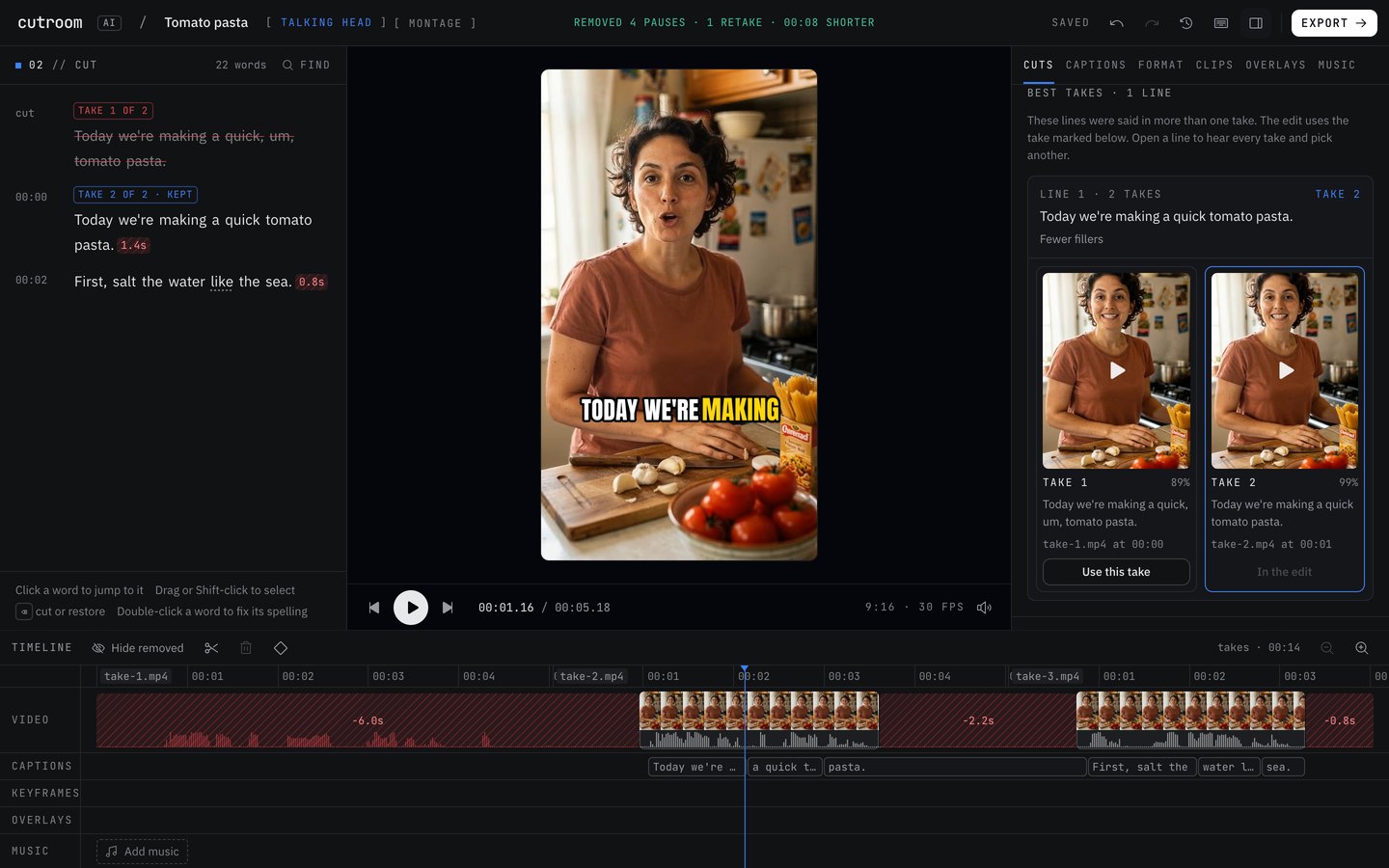
Cutroom AI is built to get the talking right first. It removes pauses, ums, retakes and false starts, and picks the best take of each line when you filmed several. Your takes are processed in the browser and stay on your computer.
How they differ
Styles versus versions. With Captions you pick a style, and another style gives you another version, one at a time. Cutroom AI lays out several finished versions from one analysis: a natural cut with plain captions, a tight cut with keyword captions, a hook-first cut, and 30 and 15 second clips. You play them side by side and export the ones you want together.
B-roll. Captions adds b-roll through its styles and can generate it. Cutroom AI only uses the photos and clips you import. Each lands over the line whose words match its file name, or the clip's own speech. There's no image recognition, so a photo called IMG_2042 waits in the Overlays tab for you to place it.
Takes. Captions' pages don't describe choosing between takes. Cutroom AI scores each take on fillers, restarts, pauses, pace, confidence, sound, framing and sharpness, then shows its pick and the reason.
Languages and avatars. Captions lists more than 100 caption languages. It also translates and offers AI avatars. Cutroom AI transcribes 16 spoken languages and translates nothing, because caption translation is one of its cloud features that is switched off. It has no avatars.
Where Captions is the better pick
- You want a styled edit with b-roll, transitions and music added for you.
- You don't have b-roll and want it generated.
- You need captions in a language outside Cutroom AI's 16, or translated.
- You want an AI avatar to present.
- You work mainly on an iPhone. Cutroom AI's phone app isn't out yet.
Where Cutroom AI is the better pick
- You film a script in several takes and want the best read of each line kept.
- You want your own footage and photos as b-roll, placed by what you named them.
- Your recording is private: a patient explainer, a staff training, an unreleased product.
- You want to compare several cuts side by side before choosing.
- You want to try it before giving anyone an email or a card.
How to try both
Record the same 60-second script three times on your phone. Name two product photos after words in the script, like oven.jpg and dough.jpg for a baking video. In Cutroom AI, open the editor and drop everything in together, then check which take won each line and where the photos landed.
In Captions, upload your favorite single take and try a couple of styles. Its pricing page lists iOS plans at $24.99 and $69.99. Put the two results next to each other and decide which kind of edit your audience expects.
Sources
- Captions home page, read November 11, 2026
- Captions pricing, read November 11, 2026
- Captions: edit with AI, read November 12, 2026
- Captions style library, read November 12, 2026
Keep reading
Try it on your own footage.
The editor opens in your browser with no account, and the sample project doesn't use an edit.