Cutroom AI vs CapCut
CapCut's online editor is a timeline with stock music, transitions and effects. Cutroom AI starts from your recording and hands back a cut, with pauses, fillers and retakes out and captions on.
Updated November 12, 2026
| Cutroom AI | CapCut | |
|---|---|---|
| Starting point | Your recording, cut automatically | An online editor with a timeline |
| Long video to shorts | Clip finder: four scores per sentence and an attention curve | AI Highlights, picked by speech patterns |
| Reframe 16:9 to 9:16 | Crop follows your face, worked out on your device | Subject tracking |
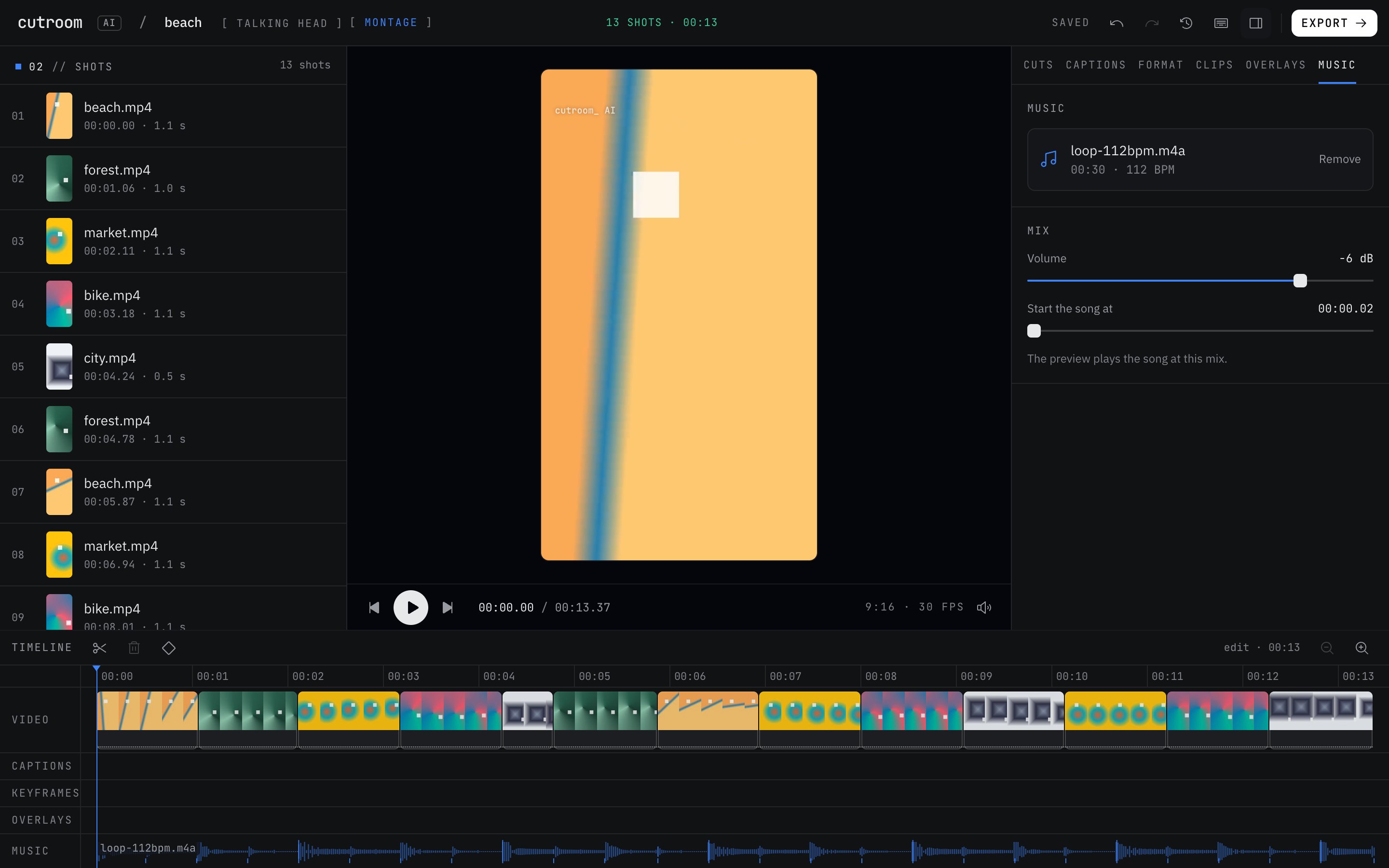
| Cut to the beat | Montage mode in the browser, on your own song | Auto Cut beat sync, on mobile and desktop only |
| Retake and pause removal | Automatic, with the best take picked per line | Not on its pages |
| Stock music and sound effects | None. Your own music, ducked under speech | Yes |
| Captions | Word-timed, 8 styles and 7 templates, SRT export | Yes |
| Edit by prompt | Off | AI Script Mode |
| Working with others | No team workspace | Cloud collaboration |
| Where your footage goes | Stays on your device | Online editor with cloud storage |
Facts about other products come from their own public pages, read on the dates under Sources. Products change; check their pages before you decide.
What each one is built for
CapCut's web editor is a general editor. You get a timeline, stock music and sound effects, transitions, background removal, text to speech, imports from cloud drives and cloud collaboration. You build the edit, and the tools help.
Cutroom AI is narrower. It's built for talking footage: a cooking demo, a product explainer, a weekly update to your clients. You drop the recording in and get a finished cut back, then adjust it in the transcript. Your footage is cut in the browser and never sent to a server.
Row by row
Long video to shorts. CapCut's AI Highlights picks moments by speech patterns, and you can adjust the length. Cutroom AI scores every sentence for hook, density, vocal energy and clean speech, draws an attention curve, and lets you search a topic word or mark your own ranges with I and O.
Reframing. Both turn a wide shot into 9:16 and follow the subject. Cutroom AI's face tracking runs on your device, and you can also crop and pan by hand or add zoom keyframes.
Beat sync. CapCut's help page puts Auto Cut on its mobile and desktop apps. Cutroom AI's montage mode does it in a browser tab. It scores a pile of clips on sharpness, motion, exposure and shake, drops near-duplicates, and cuts on the beats of a song you supply.
Media. CapCut has stock music and sound effects. Cutroom AI has none, so you bring your own track, and it ducks under speech by itself.
Prompts and teams. CapCut has AI Script Mode and cloud collaboration. Cutroom AI's cloud text features are off and it has no team workspace.
Where CapCut is the better pick
- You want to build an edit by hand on a full timeline, with transitions and effects.
- You need stock music or sound effects inside the editor.
- Several people work on the same project in the cloud.
- You pull footage straight from a cloud drive.
- Your video isn't mostly talking: travel footage, a product with no voiceover, a skit.
Where Cutroom AI is the better pick
- Most of your footage is you talking, and you'd rather review a cut than build one.
- You record several takes and want the best one per line picked and explained.
- You want beat-synced montages in a browser without installing an app.
- Your recording shouldn't leave your computer.
- You need clips from a recording up to 180 minutes long.
How to try both
Use a short talking clip with a few stumbles in it. In CapCut, put it on the timeline and time how long the cleanup takes you. In Cutroom AI, open the editor and drop the same file in. In our test, an 87-second clip reached a finished preview in 15.6 seconds the first time and 11.5 seconds after the speech model was cached. Then play both exports back to back.
For a montage, use the same song and the same folder of clips in each. Cutroom AI's montage mode runs in the browser, so a laptop is enough to test it.
Sources
- CapCut online video editor page, read November 11, 2026
- CapCut help: how to use Auto Cut, read November 11, 2026
- CapCut long video to shorts page, read November 12, 2026
Keep reading
Try it on your own footage.
The editor opens in your browser with no account, and the sample project doesn't use an edit.