For churches turning Sunday's sermon into clips and a full cut
Every week there's one long sermon recording and a short list of wants: two or three clips for social media, and a cleaned full message for YouTube. Cutroom AI does both from one import, on the church office computer, without uploading the video.
Updated November 12, 2026
The editing job
The sermon runs about 40 minutes, filmed from the back on one camera, maybe two. On Monday morning a volunteer or the communications person needs three clips under a minute each, plus the full message with the walk-up, the announcements and the long pauses taken out. Next Sunday it happens again.
Clips have to start and end on whole thoughts. A clip that begins mid-sentence, or stops before the point lands, does more harm than no clip.
The workflow
- 01Get the recording off the camera or streaming software as an MP4, MOV or MKV file. Cutroom AI can't import from a YouTube link.
- 02Import it as a Talking head project. Recordings up to 180 minutes open on every plan.
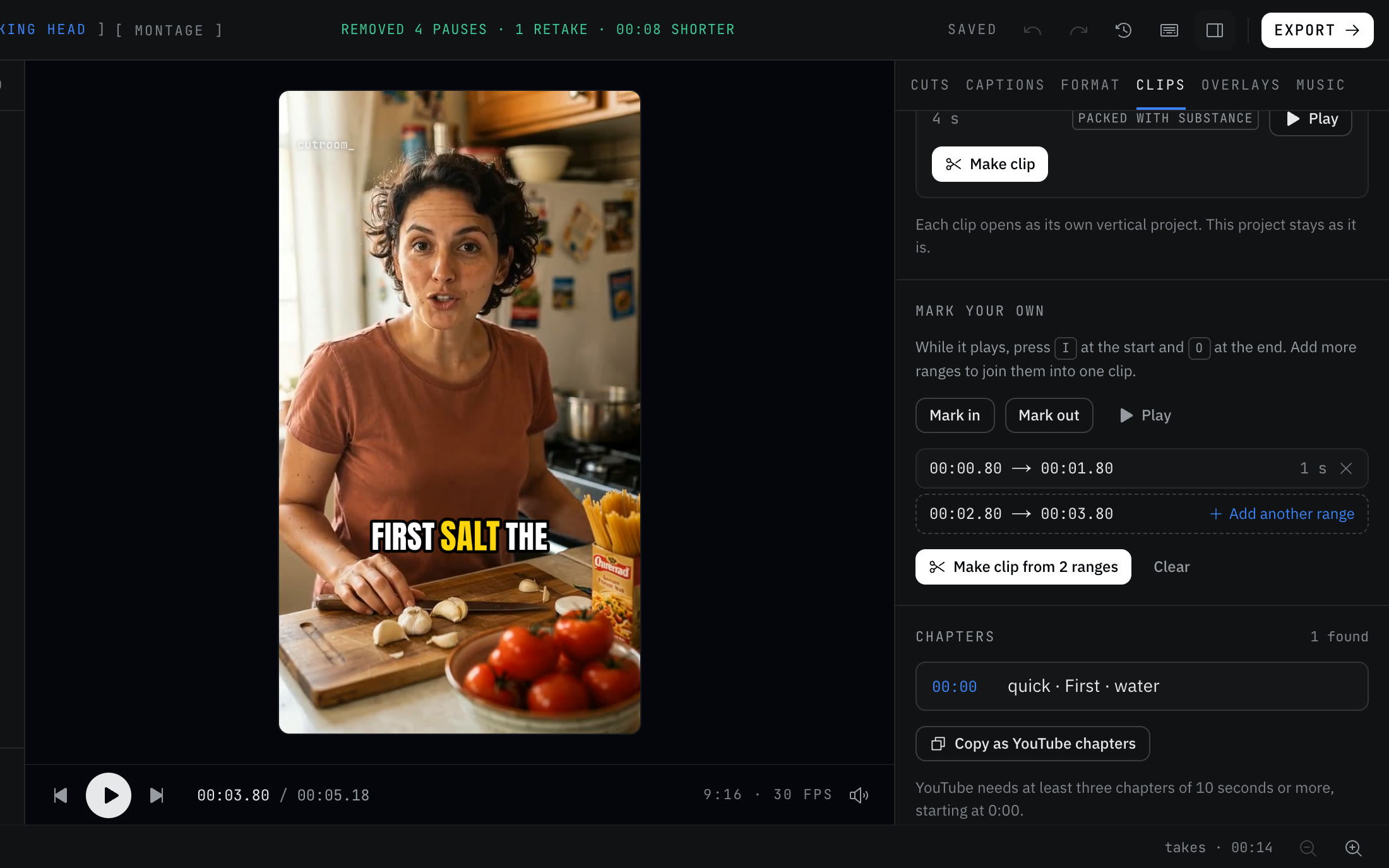
- 03Open the Clips tab. Choose 30-60 s or 60-90 s and play the ranked picks. Search a word from the sermon's theme, like "forgiveness", to see only clips that mention it.
- 04Mark your own when the best moment is split: press I and O on the setup, add another range for the application, and make one clip from both.
- 05Turn on the hook line, then make and export the clips. Each is a vertical project with captions, and the crop follows the pastor's face.
- 06For the full message, strike the walk-up and announcements in the transcript, set Pacing to Natural and export in 16:9. Copy the chapters for the YouTube description.
Full cut and plan limits
A full cleaned edit is capped by how much footage it uses: 3 minutes on Free, 30 on Starter and 60 on Pro. If your sermon runs longer than 30 minutes, the full cut needs Pro. Clips from any recording up to 180 minutes export on every plan, so a church that only posts clips can stay on a smaller plan.
What to film
- Feed the sound board into the camera if you can. A board feed transcribes far better than a camera mic at the back of the room, and every clip depends on the transcript.
- Frame the pastor with room on both sides. The vertical crop follows the face, and a pastor who walks the stage needs space to be followed in.
- If you run a second camera, keep both rolling for the whole sermon. Cutroom AI lines the cameras up by the words spoken and switches angles at cuts and every several seconds.
- Fix scripture names and the pastor's name once in the transcript. Remembered spellings carry Habakkuk and Melchizedek into every later sermon.
Honest limits
Sound follows the picture in multicam. If camera two has only its own mic and no board feed, the audio changes when the edit cuts to it.
The clip finder looks for spoken sentences, so worship songs won't rank as clips. If a song ends up in a clip, make sure your license covers posting it.
It doesn't livestream, post to your channels or schedule anything. You download the files and post them.
There's no team workspace for a media team. A project opens in your other browsers through its synced id, but there's no shared review.
Questions
Can it handle a 40-minute sermon?
Yes. Recordings up to 180 minutes open on every plan, and the clip finder reads all of it. Whether the full cleaned cut exports depends on your plan's footage limit.
Will clips start mid-sentence?
No. Clips start and end on sentence edges, and you can nudge either edge by a frame or a second.
Does the sermon video go to your servers?
No. Video and audio stay on the computer you edit on. The cut list and transcript text sync under a random id.
Does it need an account?
No. Open the editor and start. The free plan gives 3 edits a month at 720p with a small watermark.
Keep reading
Try it on your own footage.
The editor opens in your browser with no account, and the sample project doesn't use an edit.