How to cut a sermon into clips
Look for passages that make one point from start to finish, keep enough context that a verse isn't bent away from its meaning, and post a full-length version for people who want the whole message.
Updated November 12, 2026
What makes a good sermon clip
A good clip makes one point and lands it: a single application, a story with its turn, or a line the congregation repeats on the way out. It has to make sense to someone who never heard the first forty minutes.
Keep a verse together with the explanation that follows it. A verse clipped on its own can say something the pastor never meant. And avoid starting halfway through an illustration. If the story begins at "So there I was in the hospital parking lot", that's where the clip begins.
Film the sermon with clips in mind
- Put the camera on a tripod, framed on the pulpit with room for the pastor to move. If they walk the stage, frame wider than feels right. The vertical crop follows the face.
- Take sound from the board or a lapel mic, not the camera mic at the back. Sanctuary echo makes words harder to understand, for people and for speech recognition alike.
- Film in 4K if you can. Vertical clips crop a narrow slice of the frame.
- Keep recording through the whole message, including the closing prayer.
- Make sure the stage lights reach the pastor's face, not only the band.
The manual way
- 01Watch the full sermon and list the timecodes of strong passages, with a note on each.
- 02Trim each passage to start on a line that stands on its own.
- 03Crop each clip to vertical and follow the pastor across the stage.
- 04Caption it, with book names and references spelled correctly.
- 05Export each clip, then upload the full message separately.
Why it is a weekly grind
Sermons come every week, and the edit usually falls to one volunteer or a busy staff member. A full watch plus cropping and captions can eat most of a Monday, and by the time the clips are ready, Sunday is already coming around again.
The Cutroom AI way
- 01Drop the recording in on the Projects page. Recordings up to 180 minutes open on every plan, and the clip finder reads all of it.
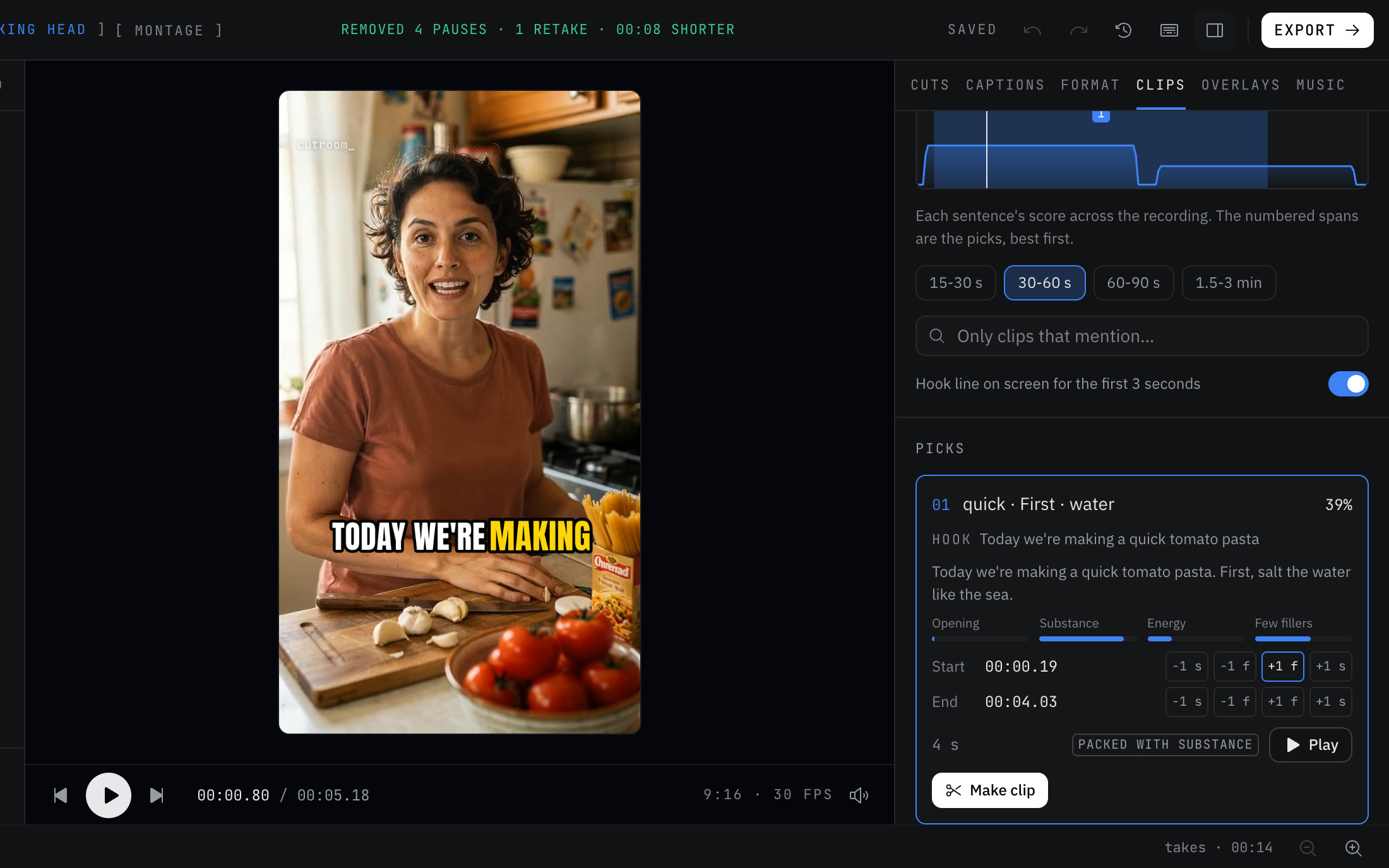
- 02Open the Clips tab and choose a clip length.
- 03To find a theme, type a word into “Only clips that mention”, such as forgiveness or Philippians.
- 04Open a pick and read “Why it scored”. Use the one-frame and one-second nudges to start the clip right at the verse or the first line of the story.
- 05Click “Make clip”. Each clip opens as its own vertical project, with captions, following the pastor's face.
- 06Fix any misheard name once: double-click it and choose “Fix spelling”. New edits in this browser remember it.
- 07Use “Export all” to render every clip.
The full-length version
If you filmed horizontally, “See versions” includes a full-length 16:9 cut at a natural pace, for YouTube or your website. In the Clips tab, Chapters lists the sermon's sections, and “Copy as YouTube chapters” puts them in the format YouTube reads.
A full cleaned edit can use 3 minutes of footage on Free, 30 on Starter and 60 on Pro. Clips cut from a longer recording export on any plan.
A weekly plan that holds up
Pick a small, steady set each week rather than as many clips as you can make. One clip for the main point. One for the best story. One short line people will quote. Then the full message for anyone who wants all of it. A set you can keep up every week beats a big batch once a month.
Put the scripture reference on screen when a clip quotes a verse. “Add text” in the Overlays tab places a label for as long as you need it, so viewers can look the passage up.
Mistakes to avoid
- Clipping a verse without its context.
- Tight pacing on preaching. A pastor's pauses are part of the delivery. Use Natural pacing in the Cuts tab.
- Misspelled book names and people in the captions. Fix them once and they stay fixed.
- Posting a guest speaker's message without asking them first.
- Clips with worship songs in them. Check that your license covers posting the song online.
Questions
Can it handle a full-length sermon?
Yes. Recordings up to 180 minutes open on every plan, and the clip finder reads the whole recording.
Does our sermon video get uploaded?
No. The edit runs in your browser, and the video and audio never upload.
Can it make YouTube chapters?
Yes. Open Chapters in the Clips tab and click “Copy as YouTube chapters”.
Can several volunteers work in one shared project?
No. There is no team workspace. A project opens in your own other browsers, not in a shared space.
Keep reading
Try it on your own footage.
The editor opens in your browser with no account, and the sample project doesn't use an edit.