For agents filming listing videos between showings
A listing video is usually two jobs: a 30-second intro you film to camera four times, and a pile of walk-through clips. Cutroom AI keeps the best take of the intro, lays your clips over the rooms you mention, or cuts the clips alone to a song.
Updated November 12, 2026
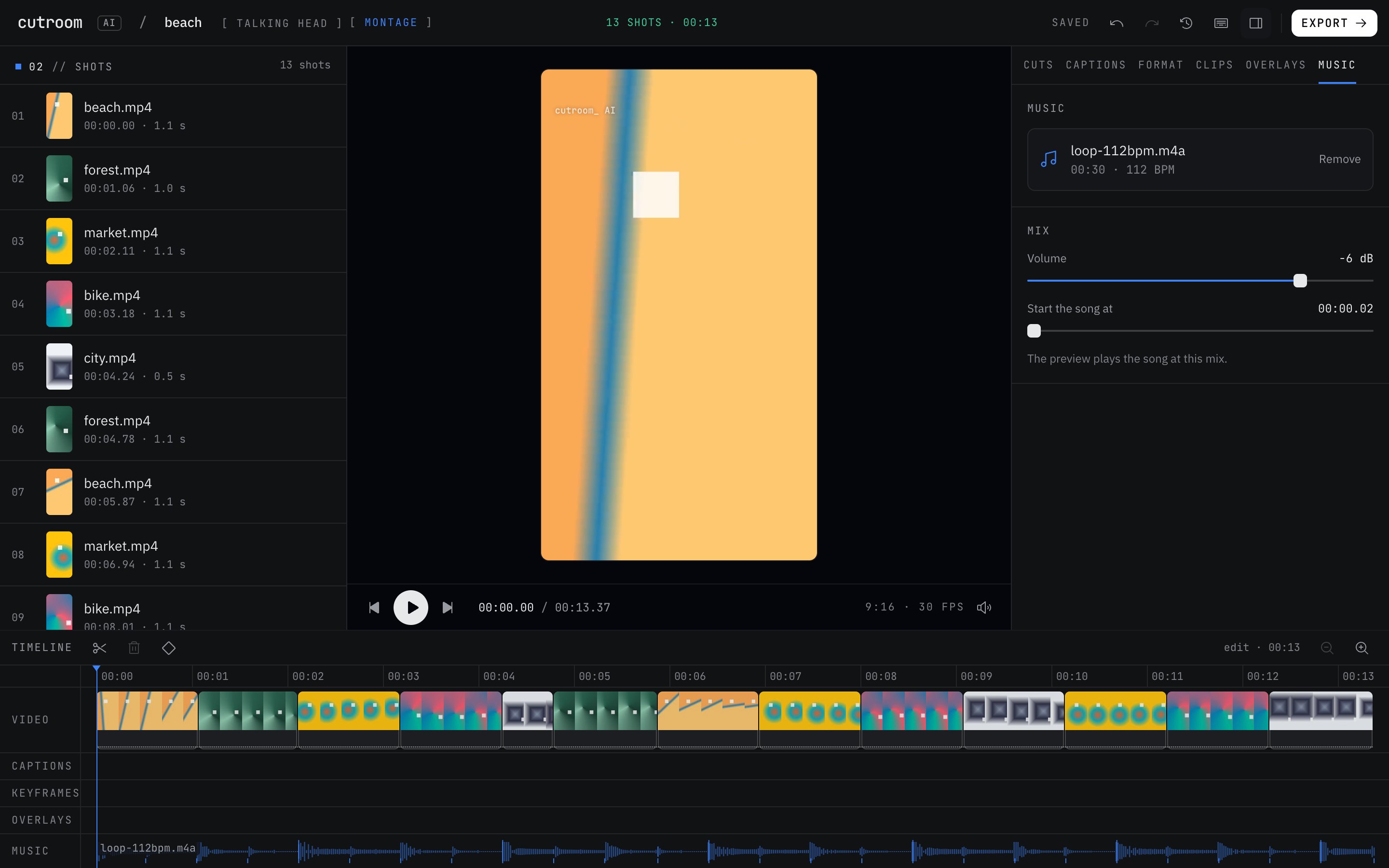
The editing job
You've got the house for an hour before the open house. You film an intro on the front steps ("Hi, I'm Dana, and this is 14 Oak Lane") four times, because a truck went by on take two. Then you walk the rooms with your phone: kitchen, primary bedroom, the backyard. Later you need a vertical Reel, maybe a 4:5 post for LinkedIn, and a horizontal cut for YouTube.
Cutroom AI handles the intro and the room clips in one project, or the room clips by themselves as a montage.
Workflow for a narrated listing video
- 01Rename your room clips and photos after what you'll say: kitchen.mov, backyard.jpg, primary-bedroom.mov.
- 02Import the intro takes and the room files together as one Talking head project.
- 03The best take picker keeps the strongest take of each line of your intro and shows why, such as fewer fillers or a better sound level.
- 04Room clips without speech become b-roll and land over the line that names them. Anything that didn't match waits under "Photos to place" in the Overlays tab.
- 05Add your logo or the asking price as a picture or text overlay.
- 06Pick 9:16 for Reels and Shorts or 4:5 for LinkedIn, and export.
Workflow for a music-only tour
- 01Choose Montage as the kind of edit.
- 02Drop in five to fifty room clips and a song you have the rights to post.
- 03Each clip is scored on sharpness, motion, exposure and shake. The best moment of each is kept, near-duplicates are dropped, and the cuts land on the beat.
- 04Set Order to "Build up" if you want the pool or the view saved for the end, set the length, and export.
What to film
- Film the intro in short takes and stop between them, so each line can be compared across takes.
- Walk slowly and hold each room for a few seconds. Fast, shaky pans score low in a montage.
- Turn on the lights and open the blinds. Exposure is part of the clip score.
- Use a clip-on mic for an outdoor intro. Wind and traffic hurt the transcript, and the transcript drives the cut.
- Say the room names you used in the file names, so the b-roll lands where it should.
Honest limits
It doesn't recognize rooms. There's no image recognition, so IMG_4471.mov won't be placed over the kitchen line. Rename files first.
There's no stock music, no stock footage and no generated video. Bring your own song.
It doesn't post to Instagram, YouTube or your listing site, and it doesn't make property pages or flyers.
Photos can't go in a montage, only over a talking-head edit.
Shooting several listings a week? Batch editing takes up to 10 separate videos at once, and a saved recipe keeps your captions and format the same. Each video still uses one of your monthly edits.
Questions
Can it put the kitchen clip over the part where I talk about the kitchen?
Yes, if the file name says kitchen. Placement comes from file names and any speech in the clip, not from looking at the picture.
Does footage of a seller's home leave my computer?
No. The video and audio stay on your device. Only the cut list and transcript text sync, under a random id.
Can I make a square and a vertical version?
Yes. Change the format, or use versions, which lays out several finished cuts for the destination you choose.
Is there a phone app for filming on site?
Not yet. The phone app is in progress. Film with your phone's camera and edit in the browser.
Keep reading
Try it on your own footage.
The editor opens in your browser with no account, and the sample project doesn't use an edit.