Cutroom AI vs TimeBolt
TimeBolt is a desktop app for cutting silence and repeated takes. Cutroom AI does that job in a browser tab, with a different rule for which take stays.
Updated November 12, 2026
| Cutroom AI | TimeBolt | |
|---|---|---|
| Runs as | A browser tab: current Chrome, Edge, Arc or Safari 26 | A desktop app |
| Silence removal | Three presets. Each cut walked to the real edge of the sound | Yes |
| Retake detection | Fuzzy sentence match. False starts too | Repeated words and sentences, with a Look Ahead Lines setting |
| Which take stays | The best scored take, with the reason shown | "Automatically selects the last cut as the best take" |
| What retake detection needs | Part of every edit, free ones included | Its paid transcript credits |
| Filler words | Hard fillers removed. Soft ones tagged | Yes |
| Caption fixes | Edit words. Remembered spellings carry to new edits | Caption correction |
| Exports | MP4 and SRT | SRT and XML |
| Screen recording | No | Yes |
| Account | None needed | Not on its pages |
Facts about other products come from their own public pages, read on the dates under Sources. Products change; check their pages before you decide.
What each one is built for
TimeBolt is a desktop program for long recordings. It strips silence, finds repeated words and sentences, corrects captions, and exports SRT or XML for the editor you finish in. It records your screen too.
Cutroom AI runs in a browser tab. It strips pauses and fillers, groups retakes, picks a take per line, adds captions and formats, and exports a finished MP4. Your video and audio never upload.
The take rule
This is the main difference. TimeBolt's blog says its retake detection "automatically selects the last cut as the best take". Its Look Ahead Lines setting controls how close a repeat must be to count. The last take is a fair guess, since people tend to stop retrying once they get it right.
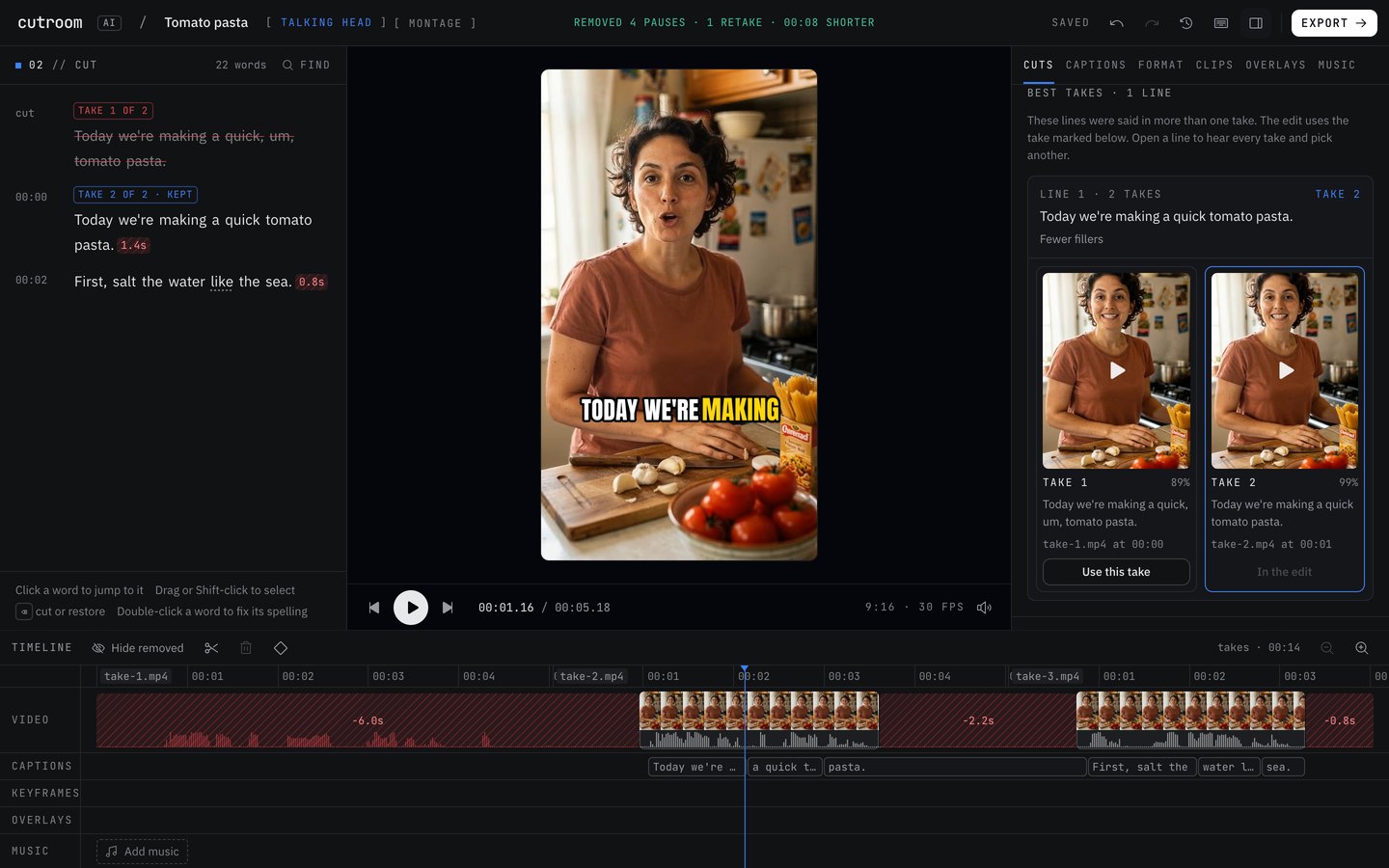
Cutroom AI doesn't assume. It scores every take on fillers, restarts, the longest pause inside it, pace (2 to 4 words a second), word confidence, sound level and clipping, your face in frame and centered, and sharpness. If take two was clean and take four had a long pause in the middle, take two wins and the pick says "No long pause mid-line". When two takes tie, the later one wins.
A take that never finishes, or is under 75% of the longest take of that line, only wins if every take is broken. A half sentence you abandoned can't beat a full one by coming last.
Other differences
Cost of detection. TimeBolt's retake detection needs its paid transcript credits. In Cutroom AI it's part of every edit, including the 3 free ones each month.
Handing off. TimeBolt exports XML, so you can finish in another editor. Cutroom AI has no XML export. It finishes the video itself, with captions, reframing, music ducking, loudness at -14 LUFS and checks on every export.
Recording. TimeBolt records your screen. Cutroom AI records your camera at /record with a scrolling script, and has no screen recording.
Where TimeBolt is the better pick
- You want a desktop app rather than a browser tab.
- You finish in Premiere Pro, Resolve or Final Cut and need XML.
- You record screen tutorials.
- Your last take really is always your best, and that simple rule suits you.
Where Cutroom AI is the better pick
- Your best take is often in the middle, and you want it found.
- You'd like to hear every take of a line side by side and swap with one click.
- You don't want to install anything or make an account.
- You want the finished vertical video, captions included, out of the same tool.
How to try both
Record a 30 second script four times and stumble in the last take on purpose. Run the file through both and see which take each keeps for that line. In Cutroom AI, open Cuts, then Best takes, to see every take's score and the reason for the pick.
Sources
- TimeBolt home page, read November 11, 2026
- TimeBolt blog: auto remove bad takes, read November 12, 2026
Keep reading
Try it on your own footage.
The editor opens in your browser with no account, and the sample project doesn't use an edit.