How does it pick the best take?
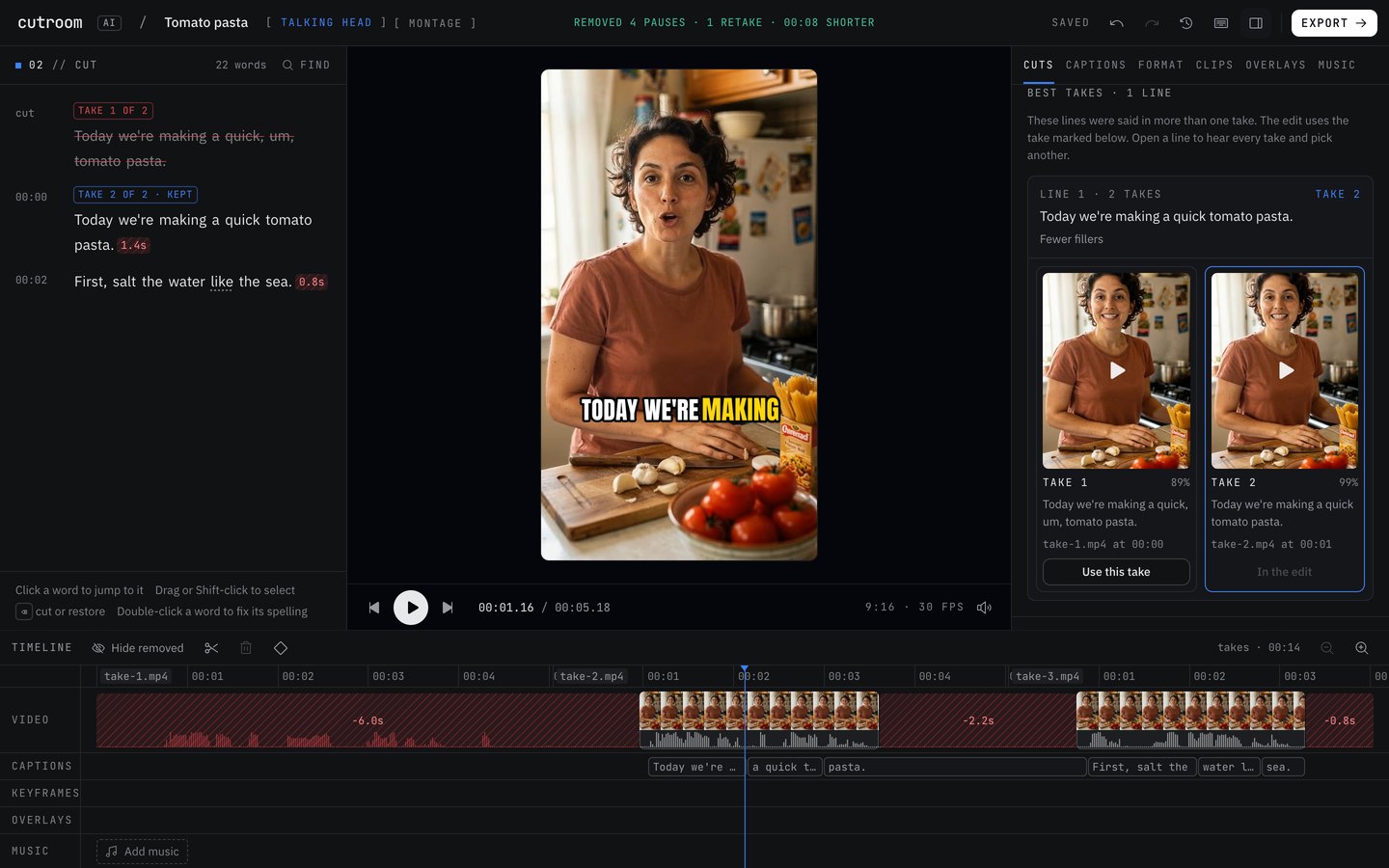
When your takes are in two or more files, it matches every take of a line, scores each one on how it sounds and looks, and keeps the highest score, with the reason next to the pick. Inside one recording, a repeated line keeps its later complete take.
Updated November 12, 2026
What each take is scored on
Fillers. Restarts. The longest pause inside the take. Pace, where 2 to 4 words a second counts as comfortable. Word confidence from the transcript. Sound level and clipping. Whether your face is in frame and centered. Sharpness.
The pick shows the deciding reason in plain words, such as “Fewer fillers”, “No long pause mid-line” or “Sharper picture”.
Takes in separate files are matched line by line and kept in script order. If a line lands in the wrong place, move it in the Line order panel. For a scored pick, stop the recording between run-throughs so each take is its own file.
Ties and broken takes
When two takes tie, the later one wins, and the reason says “As good as the others, and the latest”.
A take that never finishes the line, or is under 75% of the length of the line's longest take, is marked “Cut off”. It only wins if every take of that line is broken.
Checking and changing the pick
In the Cuts tab, “Best takes” lists every line said more than once. Open a line to see every take side by side, each with its own player and score. Click “Use this take” to swap in a different one. Swapping is free and never uses an edit. The score cannot judge whether you sounded convinced, so listen to the top two on lines that matter.
Keep reading
Try it on your own footage.
The editor opens in your browser with no account, and the sample project doesn't use an edit.