For creators who film the same short video six times
Most short videos aren't one take. They're six attempts on a phone, with the good lines scattered across all of them. Cutroom AI picks the best take of each line, trims the dead air and captions the result, on your own device.
Updated November 12, 2026
The editing job
You've got a 45-second tip about meal prep. You filmed it six times because you kept stumbling on the part about portions. The intro is best in take 2, the middle in take 5, the sign-off in take 6. By hand, that means scrubbing six files, cutting each sentence and lining them up. Then captions. Then a second cut that fits Shorts.
That's the job Cutroom AI is built around: a short script, lots of takes, a finished vertical video at the end.
The workflow
- 01Record. Use the browser recorder at /record with your script scrolling, or film in your phone's camera app and move the files to the computer you edit on.
- 02Import every take at once in the editor, as a Talking head project. Add photos named after the lines they belong over.
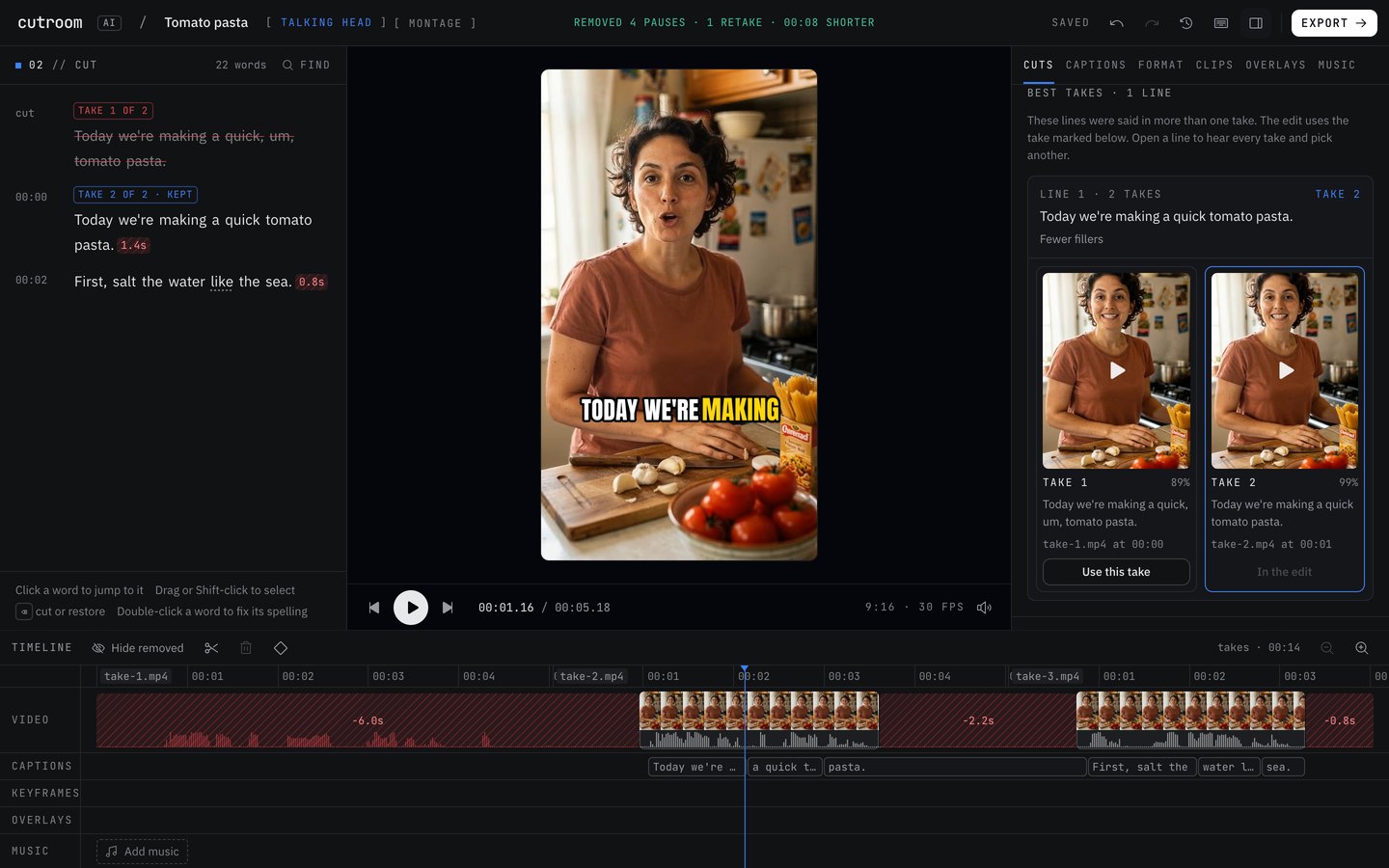
- 03Let the best take picker build the edit. In the Cuts tab, the Best takes panel shows each line's takes side by side with the reason for the pick. Press "Use this take" on any line you'd pick differently.
- 04Set Pacing. Tight suits most quick tips. Balanced is the default.
- 05Open the Captions tab, choose a template and turn on "Highlight the spoken word" or keyword captions.
- 06Press "See versions" for a tight cut, a hook-first cut and short clips side by side. Pick the ones you want and export them together.
What to film for the best result
- Stop the camera between takes. Separate files let every line be scored across every take.
- Keep the wording close between takes. Lines are matched by their words, so a reworded line may not find its other takes.
- When you flub a line inside a take, pause and say the whole sentence again. A half sentence followed by a full one is cut as a false start.
- Keep your face centered and in focus. Face position and sharpness are part of every take's score.
- Watch your levels. Shouting into the phone mic clips the audio, and clipping counts against a take.
- Name b-roll after what you say: pasta.jpg for the line about pasta.
Honest limits
It won't post for you. There's no posting or scheduling to TikTok, Instagram or YouTube. You download the MP4 and upload it yourself.
It won't write your hook. AI-written hooks and titles are switched off. The hook-first version reorders lines you actually said.
There's no stock footage or music, no AI avatar and no eye-contact fix. What you filmed is what you get.
The phone app isn't out yet. Today you edit in a browser with WebCodecs: current Chrome, Edge, Arc or Safari 26.
The free plan gives 3 edits a month at 720p with a small watermark, and a full cleaned edit on Free can use 3 minutes of footage. Starter and Pro raise both and drop the watermark.
Why it runs on your device
Transcription, scoring and editing happen in your browser. Your video and audio never upload, which counts for something if you film at home and would rather not send raw takes of your kitchen to anyone. A copy of each project's cut list and transcript text does sync under a random id, so the project opens in your other browsers.
Questions
Do I need an account?
No. Open the editor and start. The free plan works without signing up.
Can I edit on my phone?
The phone app is still in progress and not released. For now, use the web editor in a supported browser.
What if I film everything in one long take?
That works too. A line you repeat within about a minute and a half is grouped as a retake, and the later complete take stays. Separate files get the full line-by-line scoring.
Will this get me more views?
We can't promise that, and nobody honest can. It gets you a cleaner edit with less scrubbing. What you post, and how it does, is up to you.
Keep reading
Try it on your own footage.
The editor opens in your browser with no account, and the sample project doesn't use an edit.