A Descript alternative for people who film themselves
If you use Descript mostly to cut ums and retakes from videos of yourself, you may not need a full cloud editor. Here's where Cutroom AI covers that job, and which Descript features you'd give up.
Updated November 12, 2026
| Job | Cutroom AI | Descript |
|---|---|---|
| Cut retakes from a scripted video | Keeps the best scored take of each line | Remove Retakes keeps the final take |
| Take out ums | Hard fillers cut, soft ones only tagged | Filler removal |
| Record your screen | Not available | Screen recording |
| Fix eye contact | Not available | Eye contact correction |
| Ask an assistant for changes | Not available | Underlord |
Facts about other products come from their own public pages, read on the dates under Sources. Products change; check their pages before you decide.
Why people look for a Descript alternative
Descript does a lot, and many people use a slice of it. A real estate agent recording a listing walk-through uses filler removal and captions. A coach recording course lessons uses Remove Retakes. Neither touches screen recording, Rooms or Overdub. Others need their footage to stay on their own computer, which a cloud editor can't offer.
Some want a different rule for retakes. Descript keeps the final take. If your best read was the second one, you put it back by hand.
Where Cutroom AI covers the job
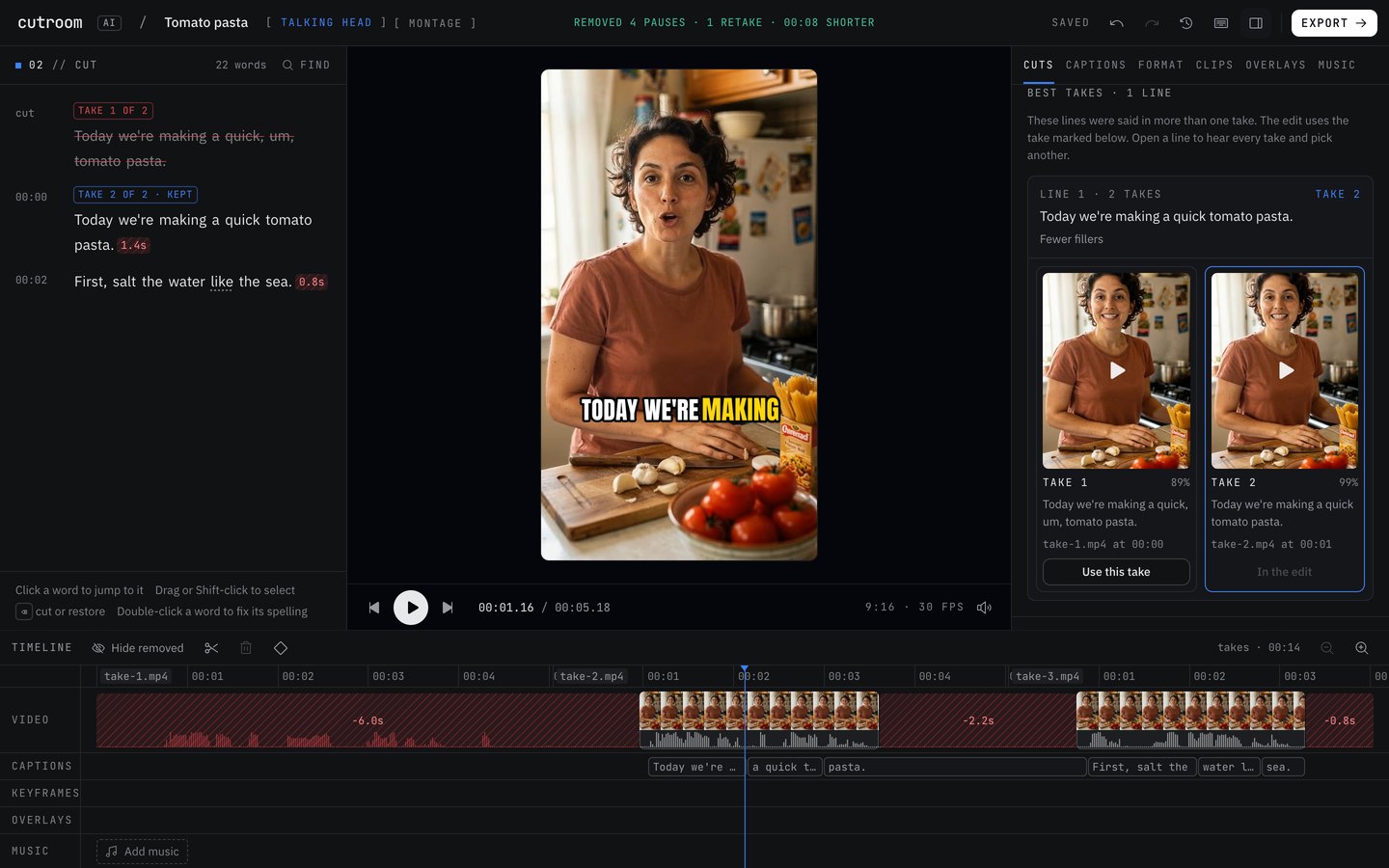
- Retakes and false starts found for you, and the best take of each line picked on a score you can read.
- Takes in separate files lined up line by line, in script order.
- Pauses cut with three pacing presets. Balanced is the default; natural leaves more air and tight leaves less.
- Removed words struck through in the transcript. Click any to restore it, with undo and redo for every edit.
- Speaker labels when two people talk, and remembered spellings so a name you fixed stays fixed in new edits.
- A teleprompter recorder at /record whose takes go straight into the best-take edit.
What you'd give up
These are real gaps, so check them against how you work.
- Screen recording and Rooms remote recording.
- Studio Sound. Cutroom AI has a simpler noise removal and evens loudness to -14 LUFS.
- Eye contact correction, voice regeneration and dubbing.
- Underlord, or any chat editing. The cloud text features that would do this are switched off.
- Caption translation.
- A team workspace.
- AI avatars and generated b-roll.
Moving over, step by step
- 01Collect your raw recordings, before any edits. Cutroom AI wants the original takes, not a finished cut.
- 02Open Cutroom AI in a browser with WebCodecs: current Chrome, Edge or Arc, or Safari 26.
- 03Drop in every take of the script at once. Separate files are fine.
- 04When the first cut is ready, open the Cuts tab and choose Best takes. Check each line's pick and its reason.
- 05Read the transcript. Restore any word you want back, and correct misheard names once.
- 06Choose captions and an aspect ratio, then export the MP4, plus an SRT if you upload captions separately.
- 07Save the settings as a recipe so the next video starts from them.
Questions
Can I edit by deleting words, as in Descript?
Yes. Removed words show struck through in the transcript, you can click any of them to bring it back, and every edit has undo and redo.
Does it keep the last take like Descript?
No. Every take gets a score and the highest one stays. If two takes score the same, the later one wins, and the pick says that was the tiebreak.
Can I open my Descript projects?
No. Cutroom AI opens video files (MP4, MOV, WebM, MKV) and audio files, so start from your original recordings.
Is there anything like Studio Sound?
Not at that level. Cutroom AI has noise removal and evens loudness to -14 LUFS on export. If you rely on Studio Sound to rescue a bad room, keep Descript for those recordings.
Does my video upload?
No. A copy of the cut list and transcript text syncs under a random id, which is how the project opens in your other browsers. The video and audio themselves stay on your device.
Sources
- Descript home page, read November 11, 2026
- Descript pricing, read November 11, 2026
- Descript Remove Retakes page, read November 12, 2026
Keep reading
Try it on your own footage.
The editor opens in your browser with no account, and the sample project doesn't use an edit.