For podcasters who want clips from every episode
You record an hour with a guest and want five clips by Friday, plus a full episode with the ums gone. Cutroom AI reads the whole recording, ranks the strongest stretches and cuts them on sentence edges. It doesn't follow the speaker between cameras yet.
Updated November 12, 2026
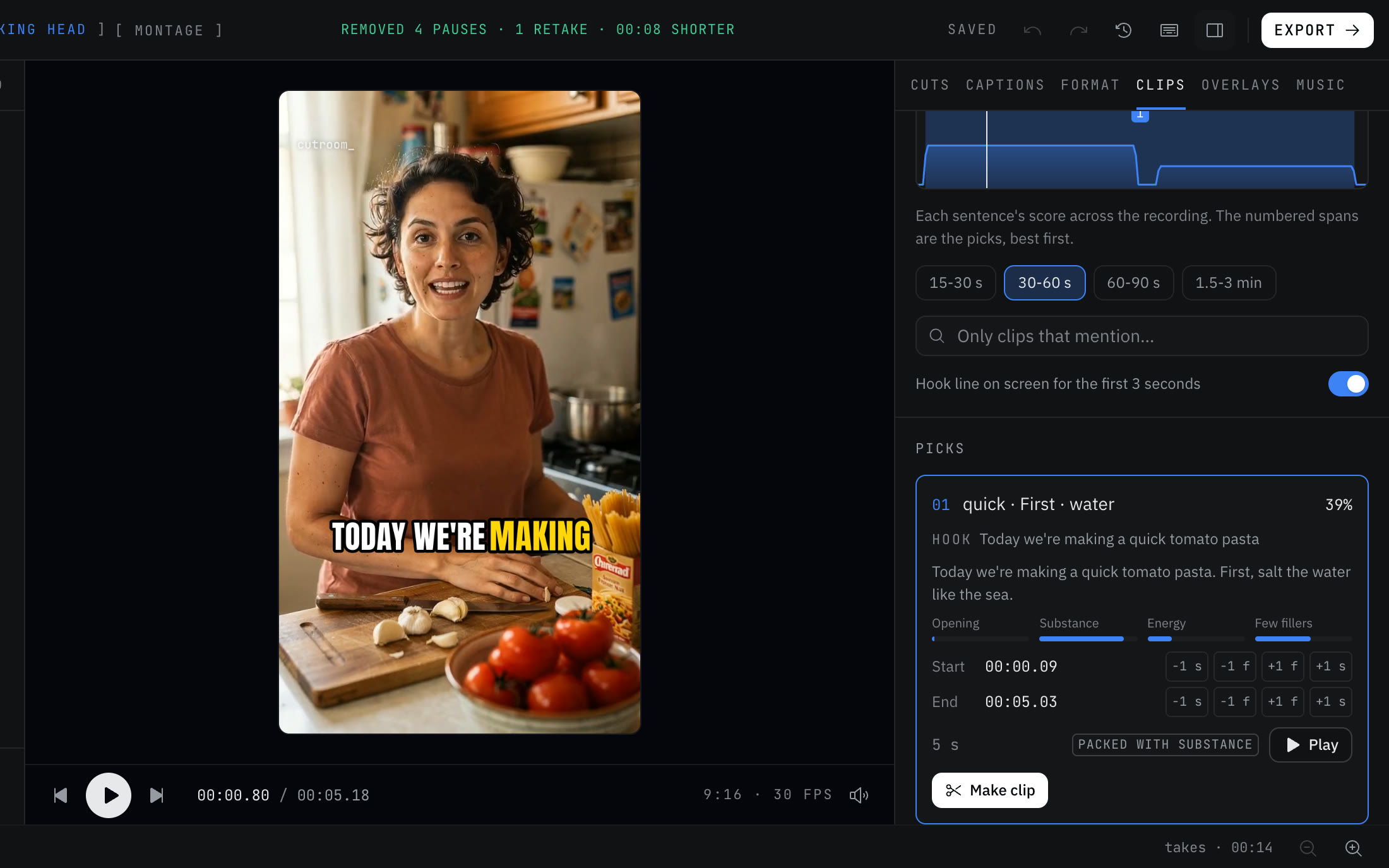
The editing job
A video podcast episode is often 45 to 90 minutes of two people talking, filmed on a wide shot and maybe a camera on each person. Clips that work on their own tend to be 30 to 90 seconds where someone says one clear thing. Finding them means listening to the whole episode again, noting timestamps, cutting, reframing to vertical and captioning. Then someone asks for the full episode without the long pauses.
Cutroom AI does the finding, cutting and captioning on your device. It's weaker at the multi-camera part, and that's spelled out below.
The workflow
- 01Export the episode from your recording setup as MP4, MOV, WebM or MKV. Audio files import too: MP3, WAV, FLAC, AAC or OGG.
- 02Import it as a Talking head project. Recordings up to 180 minutes open on every plan.
- 03Check the transcript. Two voices are labeled Speaker 1 and Speaker 2, which makes the guest's answers quick to find.
- 04Open the Clips tab. Choose a length, scan the attention curve and play the ranked picks. Type a topic into "Only clips that mention" to see every stretch about, say, burnout.
- 05Nudge each clip's start and end by a frame or a second. If the best moment isn't in the picks, mark it with I and O, and join two ranges into one clip.
- 06Turn on the hook line, then make all and export all. Each clip is its own vertical project with captions, and the crop follows the face.
- 07For the full episode, set Pacing to Natural and export the cleaned cut in 16:9, if your plan's footage limit covers its length.
What to film
- A wide shot that holds both people, as your main camera. The edit can't follow the speaker between cameras yet, so the wide shot is the safe base.
- A separate microphone for each person, mixed into the file you import. Clean audio means a cleaner transcript, and the transcript drives the clips, the captions and the cleanup.
- As little crosstalk as you can manage. Two people talking at once is harder to transcribe and harder to cut on a clean sentence edge.
- A quiet room. Noise removal helps, but a quiet room transcribes better from the start.
Honest limits for podcasts
The multicam edit doesn't follow whoever is speaking. With a camera on each person, Cutroom AI lines the cameras up by their words and switches angles at jump cuts and every several seconds, but it can show the listener while the other person talks. Sound also follows the picture, so each camera's mic is heard while it's on screen. For now, use the wide shot alone, or cut speaker angles in a desktop editor.
There's no waveform editing for audio-only shows. Audio files import and get a transcript and the same cleanup, but the editor works from words, and the export is an MP4 video file, not an MP3.
A full cleaned episode is capped by plan: 3 minutes of footage on Free, 30 on Starter and 60 on Pro. Clips from a longer episode export on any plan.
It doesn't record remote guests, and it doesn't publish to your podcast host or social accounts.
Names, spellings and the guest list
Speech models mangle guest names and show names. Fix one once in the transcript and the spelling is remembered in new edits, so next week's captions get your co-host's surname right without you checking.
Questions
Can it make clips from a 90-minute episode?
Yes. Recordings up to 180 minutes open on every plan, and the clip finder reads all of it.
Will it switch to whoever is talking?
Not yet. Multicam switches at jump cuts and sentence starts and skips angles with no face, but it doesn't pick the active speaker's camera.
Can I edit an audio-only podcast?
You can import audio and get a transcript with pauses and fillers cut, but there's no waveform editor, and the export is MP4 video.
Does my episode upload anywhere?
The video and audio don't. They stay on your device. The cut list and transcript text sync under a random id so the project opens in your other browsers.
Keep reading
Try it on your own footage.
The editor opens in your browser with no account, and the sample project doesn't use an edit.